Prezentácie
Prezentácie:
č. 1-
 |
||||
|
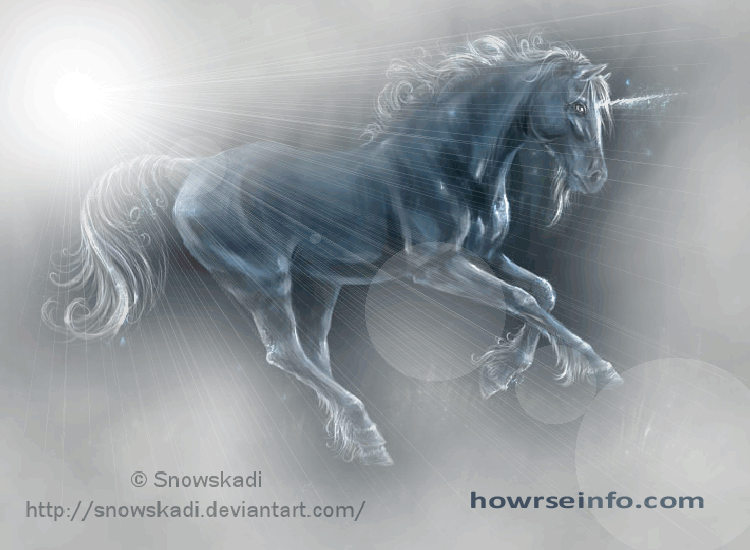
Your title here Put your own text here to fill out the box. This is where you can put in images, glitter text, avatars and text. Use different fonts and write about yourself and your horses. You can use the howrseinfo ready made layouts for your personal profile page and also for your equestrian center profile. Remember not to put any personal information here and to stay safe on the web. Once you have generated your layout you can easily change the image and overwrite the text. If you want to it is easy to generate a whole new layout. If you get an error message when you save your presentation click on save again. If this still does not work generate a new layout and make sure you choose all the options.
|
Your title here You can easily change your Howrse profile. To go to your page use the following Howrse menu links - profile, my page. On the right hand side you will see the links to change your presentation. You can modify - change, reinitialize - start again or set out the display options you want - width and height of your presentation. As you have the HTML code for your layout you will need to change the edit mode BEFORE you paste your layout code. Over on the right hand side by the smiley faces is a green HTML mode edit button. Click on this before you paste your layout code and you will be taken to a new page. This shows the html edit mode page - notice that the Howrse edit icons at the top and the smiley faces have disappeared. Now you can paste your layout HTML code and save the presentation. If when you save your layout all you can see is code then you have pasted in the wrong place. You need to be in the correct HTML edit mode.
|
|||
|
Your title here This text box has no overflow box set so it just gets bigger and bigger the more you type. This is useful when you are putting in images so that you can see them all. You can put in as many text boxes as you want once you learn how to recognise the HTML code used in this profile layout. There are tutorials on the website to help you learn to write your own layouts or adjust the ready made ones.
|
||||
|
Layout designed by (c) Srdcom s koňmi code generated at howrseinfo.com
|
||||
Kód:
<div align="center"><TABLE align="center" bgcolor="#660000" width="800">
<TBODY>
<TR>
<TD colSpan="5"> </TD>
</TR>
<TR>
<TD colSpan="5"><div align="center"><IMG src=http://i1090.photobucket.com/albums/i368/katie430/layouts/unicorn1-1.gif width="750"></div></TD></TR>
<TR>
<TD colSpan="5"> </TD></TR>
<TR>
<TD width="25"> </TD>
<TD width="372" bgcolor="#FFFFFF"><p align="center"><font face="Forte" size="+3" color="#990099"><b>Your title here</b></font></p>
<div style="overflow:auto; height:250px; padding: 20px;"><font face="Arial" color="#000000">Put your own text here to fill out the box. This is where you can put in images, glitter text, avatars and text. Use different fonts and write about yourself and your horses. You can use the howrseinfo ready made layouts for your personal profile page and also for your equestrian center profile. Remember not to put any personal information here and to stay safe on the web. Once you have generated your layout you can easily change the image and overwrite the text. If you want to it is easy to generate a whole new layout. If you get an error message when you save your presentation click on save again. If this still does not work generate a new layout and make sure you choose all the options.</FONT></DIV></TD>
<TD width="15"> </TD>
<TD bgcolor="#FFFFFF"><p align="center"><font face="Forte" size="+3" color="#990099"><b>Your title here</b></font></p>
<div style="overflow:auto; height:250px; padding: 20px;"><font face="Arial" color="#000000">You can easily change your Howrse profile.
To go to your page use the following Howrse menu links - profile, my page. On the right hand side you will see the links to change your presentation. You can modify - change, reinitialize - start again or set out the display options you want - width and height of your presentation. As you have the HTML code for your layout you will need to change the edit mode BEFORE you paste your layout code. Over on the right hand side by the smiley faces is a green HTML mode edit button. Click on this before you paste your layout code and you will be taken to a new page. This shows the html edit mode page - notice that the Howrse edit icons at the top and the smiley faces have disappeared. Now you can paste your layout HTML code and save the presentation. If when you save your layout all you can see is code then you have pasted in the wrong place. You need to be in the correct HTML edit mode.</FONT></DIV></TD>
<TD width="15"> </TD> </TR>
<TR>
<TD colSpan="5"> </TD>
</TR>
<TR>
<TD> </TD>
<TD colSpan="3" bgcolor="#FFFFFF"><p align="center"><font face="Forte" size="+3" color="#990099"><b>Your title here</b></font></p>
<div style="padding: 20px;"><font face="Arial" color="#000000">This text box has no overflow box set so it just gets bigger and bigger the more you type. This is useful when you are putting in images so that you can see them all.
You can put in as many text boxes as you want once you learn how to recognise the HTML code used in this profile layout. There are tutorials on the website to help you learn to write your own layouts or adjust the ready made ones.</font></div></td>
<td></td></TR>
<TR>
<TD colSpan="5"> </TD>
</TR>
<TR>
<TD> </TD>
<TD colSpan="3" bgcolor="#FFFFFF"><div align="center"><font face="Forte" size="-1" color="#990099"><b>Layout designed by (c) Srdcom s koňmi code generated at howrseinfo.com</b></font></div></td>
<td></td></TR>
<TR>
<TD colSpan="5"> </TD></TR>
</TBODY></TABLE></div>
Komentáre
Prehľad komentárov
et the latest UK breaking news and global headlines with UK Breaking News24x7. Stay updated on politics business technology sports entertainment and more—24/7 - ukbreakingnews24x7.com
PV-Anlage erweitern Wechselrichter
ALEXstole,13. 9. 2026 20:10pv anlagenbauer nahe kuln Solaranlage Regensburg
memory problems in middle age - rslimtljvu
gtaletrpxu,1. 9. 2026 17:44magnesium for brain fog after eating brain booster supplements for midday brain fog after carbs best brain fog supplement for midday slump how to choose supplements for afternoon brain fog
New Space Discoveries
JoshuaAnnor,29. 8. 2026 19:13Its fascinating to see just how quickly space exploration is progressing lately. Based on the latest updates on aol News engineers are making major milestones in clean energy integration. What are your thoughts on these advancements? Do you think this will change things moving forward? See on https://mota.com
info
Danielhot,27. 8. 2026 10:55The customer selects the required services and specifies the order parameters https://xn----ftbeonjgpifvc9b5c.xn--p1ai/city/oryol/
casino
Danielhot,28. 7. 2026 0:46Blast through our thick casino game wall играть казино майнкрафт
casino
Danielhot,27. 7. 2026 23:36Blast through our thick casino game wall игра майнкрафт казино скачать
casino
Danielhot,27. 7. 2026 23:13Blast through our thick casino game wall казик майнкрафт
Seize your future starting today
DanielAdugh,27. 7. 2026 22:34We spend all day pushing campaigns and making money. Today it’s time to enjoy the benefits. Stop scrolling and get ready to having fun
casino
Robinsit,27. 7. 2026 21:53Crawl through our rich casino game tunnel майнкрафт казино 1win
Class Action Lawsuits Against Prednisone - brlyexgvcp
qtalettuqu,26. 7. 2026 13:42can you drink on doxycycline hyclate doxycycline gassy buy doxycycline and azithromycin side effects of doxycycline hyc doxycycline dose lyme prophylaxis
casino
Robinsit,23. 7. 2026 1:10Blaze into our lit casino game court https://high-level-ecom.com/
casino
Robinsit,23. 7. 2026 0:55Blaze into our lit casino game court https://levelupldi.com/en-au/
casino
Robinsit,22. 7. 2026 19:15Gnaw through our chunky casino game feast https://spiritsnobwholesale.com/en-au/
Create complimentary Telegram bot for creating presents, memberships. Ultra promote groups!
XRumer23stole,11. 7. 2026 14:39No-cost Telegram bot for creating freebies subscriptions. Amazing promote channels Our team is proud to introduce our users this all-in-one TG bot: Firstly Generate gifts It’s possible to generate custom freebie including access information images video content visuals vouchers coupons exclusive discounts discount codes and so on including your own rule for receiving your freebie. Namely rule to get freebie will be a subscription to the channels you set during making plus a certain number of hits on your invite link inside the bot. It’s possible to try the free option for this feature; but for access it’s required to subscribe to some of our channels in your channel list. Just open our bot https://t.me/netxmixbot click Start after that tap Create Free Gift. Next Make paid subscriptions for channels and groups Now you’re able to create paid memberships for your TG channels or groups using Netxmix bot. Transactions are automated via cryptocurrency. For setting up premium access you need to go to Netxmix bot https://t.me/netxmixbot press Start – your profile – channels - add. In our bot it’s possible to find many freebies which members earlier generated all you can receive 100 for free. Simply click on the GIFTS menu in our bot. Welcome – https://t.me/netxmixbot Free fresh over 10B GPT TV Google Google Drive gaming gaming private networks community Telegram storage etc databases inside Netxmix bot. To access databases simply use the link or simply send /start in bot pick Free Gifts inside bot choose section databases archives ncloud-archives then tap on DB. 262 millions new DB from blockchain activity: netxmixbot?start=gift_1 Billions of ULP updated data from financial news sites app users: t.me/netxmixbot?start=gift_4 Lots of more DBs in our bot please join to bot and get updated data each day: netxmixbot
l592e
Mikescani,20. 6. 2026 3:39сказка 1xBet India https://unigreet.com/cricket-games-in-india-fast-odds-live-matches-and-big-rewards/ offers numerous options for gambling on sports. Users can take pleasure in real-time wagering and appealing odds. Join 1xBet India today
casino
Danielhot,18. 6. 2026 1:02Mans gotta see our casino games they absolutely go crazy sofia rodriguez porno
casino
Robinsit,15. 6. 2026 1:57Bruh just peep our unhinged casino games and thank us later https://cheat4games.ru

UK Breaking News24x7
DavidNiZ,15. 9. 2026 10:10